There is plenty of hype (both positive and negative) around AI agents, and it doesn’t help anyone to learn how to use them well. Therefore, I have created this little guide on what beginners should keep in mind when they start using AI Agents
Make long prompts that consume the entire LLM context
Building an agent means creating a harness. It is a set of prompts that automate context. There are 2 major sets of context files: a master prompt and memory files
They are explained in detail in the previous article.
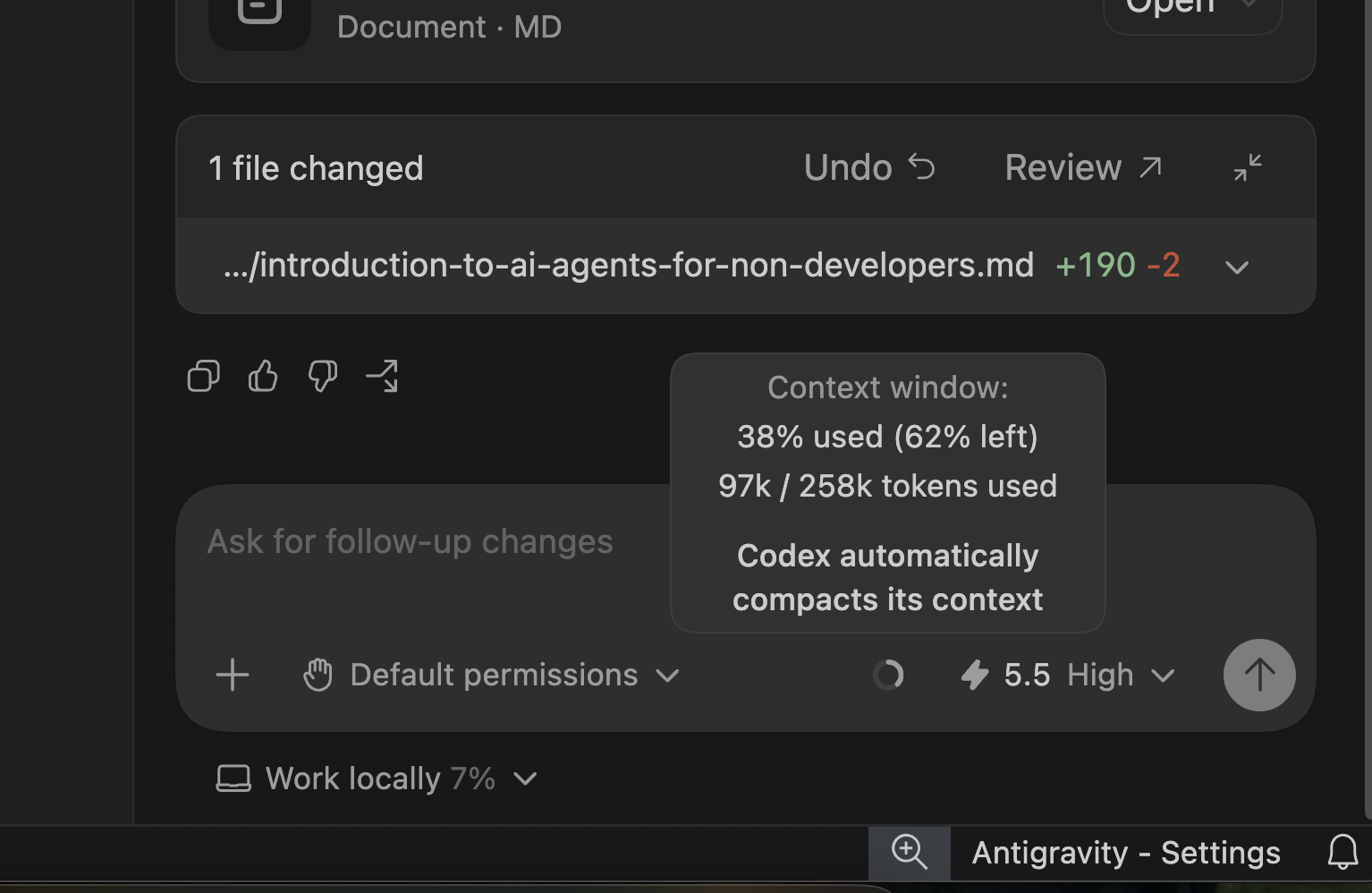
What people usually get wrong is that they create very long, complicated prompts. Sometimes those prompts also have repeated information; e.g. in the master prompt you ask AI is to act as a product manager in company X with a long description of the company and yourself. Then you create memory files me.md and company.md with the same info. This makes the LLM provide inaccurate answers. Every LLM has a context: the limit of characters and tokens it can process in one chat. If the LLM is forced to read long and repeated information before answering your question, it can already get overloaded – when it exceeds its limit, it compresses the information and starts hallucinating.
More on the LLM Context here
The solution to this problem is to write shorter and smaller files and audit your files (ask AI to audit) so there is no repeated information and files are routed to each other, e.g. a master prompt only says that you are a product manager, and for more details, look in the memory files.
Making the agentic workspace too complicated
Another common problem is to start creating unnecessary sub-agents, or build/upload multiple skills in one agent when they are not really needed. As a result, you will get conflicting instructions – one prompt has conflicting information with another prompt. It also consumes too much context, so in the end you will get uneven and inaccurate results.
The solution to this problem will be to create dedicated agents for each specific task e.g. create a researcher agent that collects information from social media and separately create another agent that creates PRDs from this research; do not keep them in one workspace.
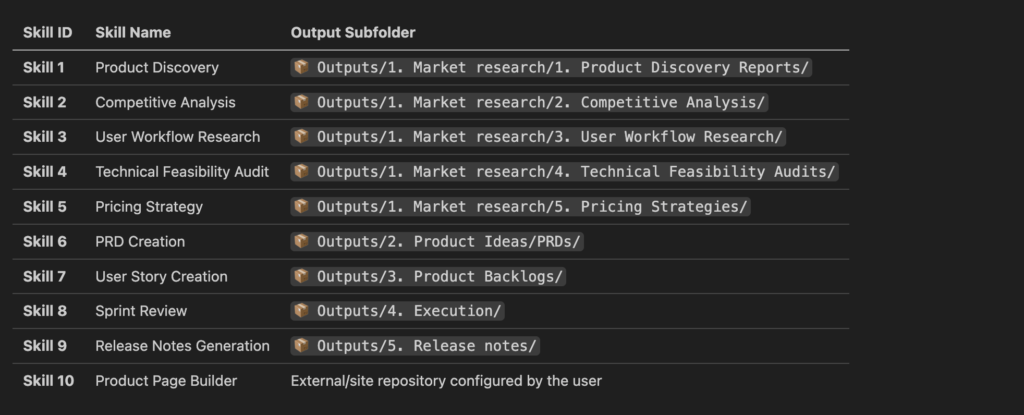
Figure 1 – PM skills in the agentic workspace
Not saving the output to files
Another common problem is that you leave the output of a prompt in the chat. In the very beginning, it may not be a problem, but once you have multiple prompts and you have a lot of chats, you may lose some very important information. The solution to this problem is to define a very specific place where the output will be saved in every automated prompt.
If you have an automated Jira status, ask AI to save output to a folder called Jira reports every time it connects with the MCP server to bring data. This file should be named properly and have a specific timestamp, so when you later you you would like to review or analyse velocity trends for your projects, you can actually ask AI to go over these specific reports,

Figure 2 – Folder structure
Not automating your prompts
Beginners sometimes forget that they can automate prompts. The entire idea of an agentic AI is to automate – not only the context but also to automate the core processes. So instead of writing every time “please provide me a report from the sprint x in project y, ask AI to save this prompt into the prompt folder, and every time that you will ask for a report from JIRA, it will execute the same procedure that is saved in this prompt, and the output will be saved to an output folder, as we discussed in the previous paragraph.
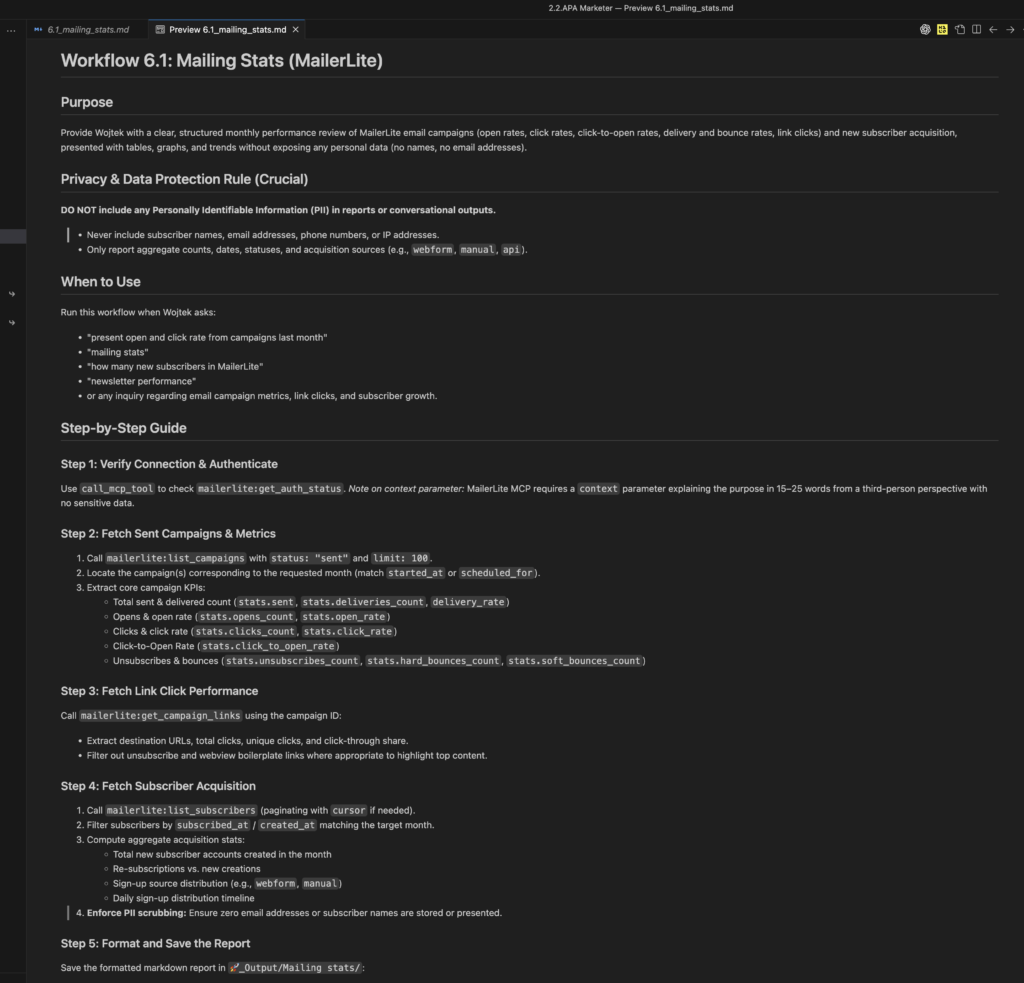
Figure 3 – Marketing analytics prompt
Using AI for everything
In my opinion, this is the most important problem and the biggest misconception about AI: that it is to replace software. The best agentic workspace is the one that consists of installed CLI applications and built-in custom scripts. AI should be used only:
- when judgment really needs to be made, and deterministic software cannot handle the problem or
- to orchestrate and open tools so you don’t have to memorise terminal commands
The example of orchestration can be to transcribe file x or convert the file from Word to PDF – you don’t need AI to do that. Your workspace can have multiple little CLI (command line interface) applications installed – the ones that are opened from the terminal. However, if they are orchestrated with AI, you don’t even have to open a terminal; you can simply say “please convert file to PDF and it will automatically use an application that you point out. Moreover, as explained in the previous paragraph, you can automate a prompt and say every time I ask you to convert the file, use pandoc CLI, and when I render an audio file, use ffmpeg. Using AI for that would be like using a jackhammer to hang a painting.
Guardrails and evaluation
A lot of people complain that AI is not reliable. They keep forgetting that by definition, it is a probabilistic technology, so it will never be 100% accurate. And humans aren’t either. But there are ways to make the AI tool more reliable and consistent. You can incorporate into your AI assistant/agent a specific prompt that says, “Do not make up the information”. You can also build specific safety mechanisms called guardrails: insert a rule that AI is never allowed to push information to third-party tools before a sign-off. You can also ask it to provide the sources of information and order that in case the sources are not available, AI is not try to invent an answer but say “I don’t know”. Finally, there is a whole big domain called AI Evaluations. The role is to create test scenarios and methods for evaluating AI-powered tools.
The basic rule of AI evaluation is to create a golden set of data, which is evaluated by a human and then perform the evaluation by AI and compare the results. You can later scale your dataset to test not only reliability but also consistency. More on the subject can be found here:
Anthropic’s guide to defining success criteria and building evaluations
Vibe code my ass!
AI for now is not a magical box that you can go to and say “please build me a product”. You will still need to understand software development, design principles and QA best practices to be able to prompt it in a very specific way,
So instead of saying: ” Build me a product X” ask AI to build an architecture for a product first. Or start by providing AI with the list of requirements. These are basic things that everybody who knows how to build a product starts with. Some companies and people sell the idea that you can take a shortcut.

Figure 4 – That explains a lot
I would warn you to be at least very cautious, and if you don’t know how something should be done, ask AI for a plan: “Act as a UX designer and tell me how to design user experience for my product idea”. Challenge and ask follow-up with “why” questions. It will then nicely teach you those best practices while building a product with you.
Not knowing how to save tokens
You don’t have to burn tokens like crazy. Once you have complicated processes and automations and multiple favourite CLI tools and Python on scripts, you can create certain rules in your desktop client e.g. every time AI only serves as an orchestrator for software, it must change the model to a lower tier that burns fewer credits because the task is simple. Executing a command in the terminal doesn’t require some very sophisticated models like GPT-6. Most of the editors have special settings, general rules that can be implemented across all the agents; if you don’t know how to do it in your specific editor, ask your AI Agent 🙂
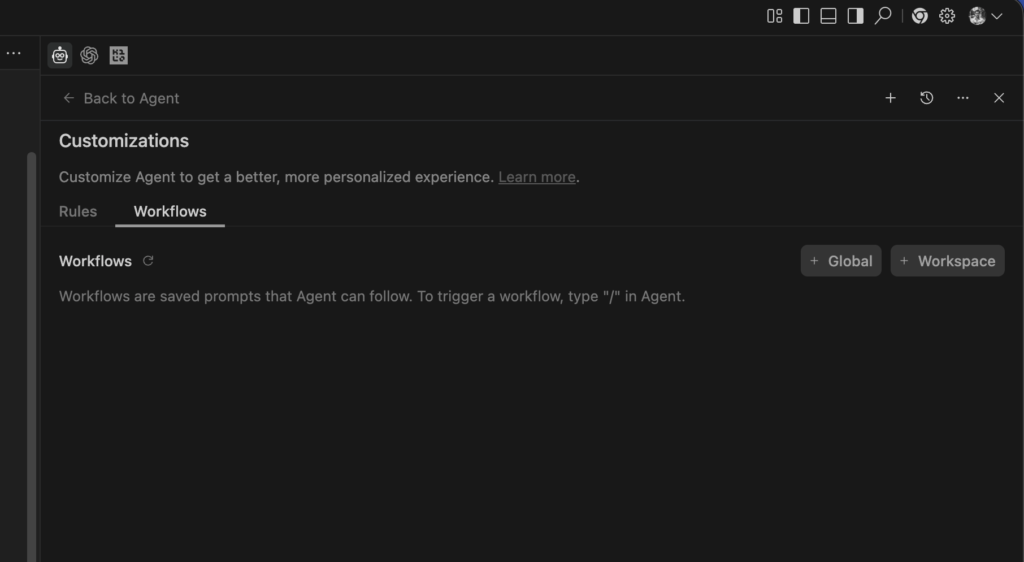
Figure 5 – Antigravity IDE’s rules and workflows
Summary
Ask AI to teach you on the job would be my best piece of advice – ask your agent how to develop itself further; it will do it. The only thing you need is to keep asking questions, challenge it, and be willing to learn in the process, rather than delegating thinking to AI. That’s one of the reasons I was hooked – it helped me learn how to do things I always wanted; it didn’t do it for me; it only assisted me when I was learning.
Now I can say just like Neo: “I know Kung Fu “
Thanks for reading; it was not written by any of my agents 🙂
If you would still like to take a more structured path to learning agentic AI step by step, you can take our course “Building Your First AI Agent for Product Work”